
Frequently Asked Questions
My Account
How do I access My Account?
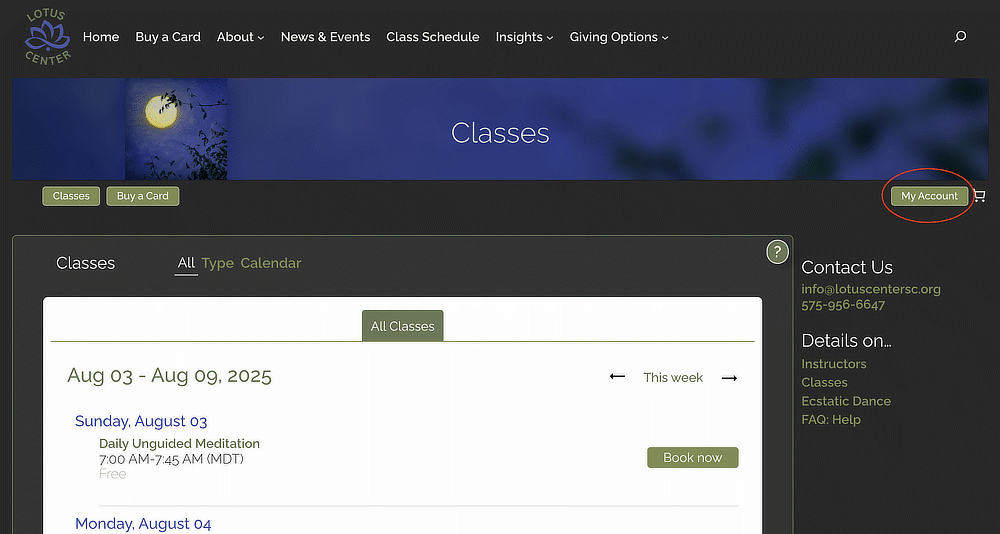
To access your account information, from any Lotus Center Classes page, click on the My Account button:
Why should I create an account?
Creating an account provides these benefits:
- Simplifies the checkout process because your credit card and contact info will be automatically filled in during checkout.
- Gives you access to view your current Class Card balance, along with the transaction activity.
- Gives you access to view your upcoming bookings and past bookings.
- Gives you the ability to manage your account (update your credit card(s), address, password, etc.).
How do I create an account?
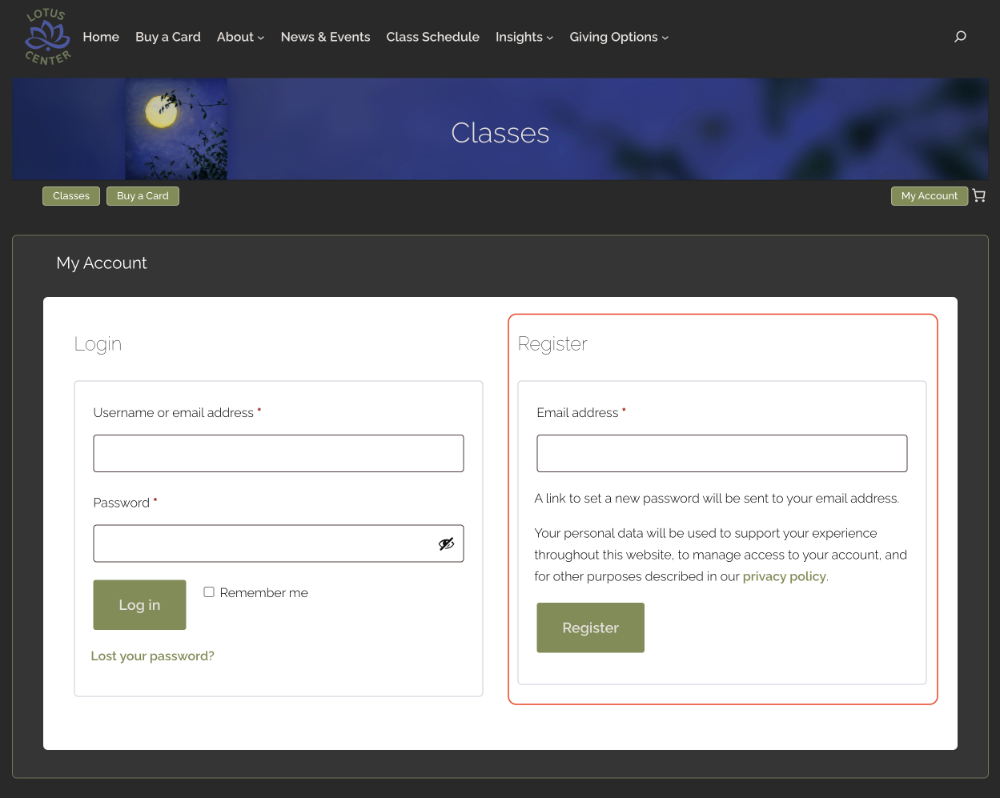
To create an account:
- Click on the My Account button
- On the righthand side of the page under “Register”, type your email address, then click “Register”.
- You will then receive an email with a link to set a password.
I never received an email after creating an account.
You will receive an email with the subject: Welcome to Lotus Center of Silver City. If you did not receive the email, make sure to check your spam folder. If you still cannot find the email, please contact us at info@LotusCenterSC.org.
Where can I find the balance of my Class Cards?
You can find your Class Card balances in My Account in Class Cards
Booking a Class
How do I book a class?
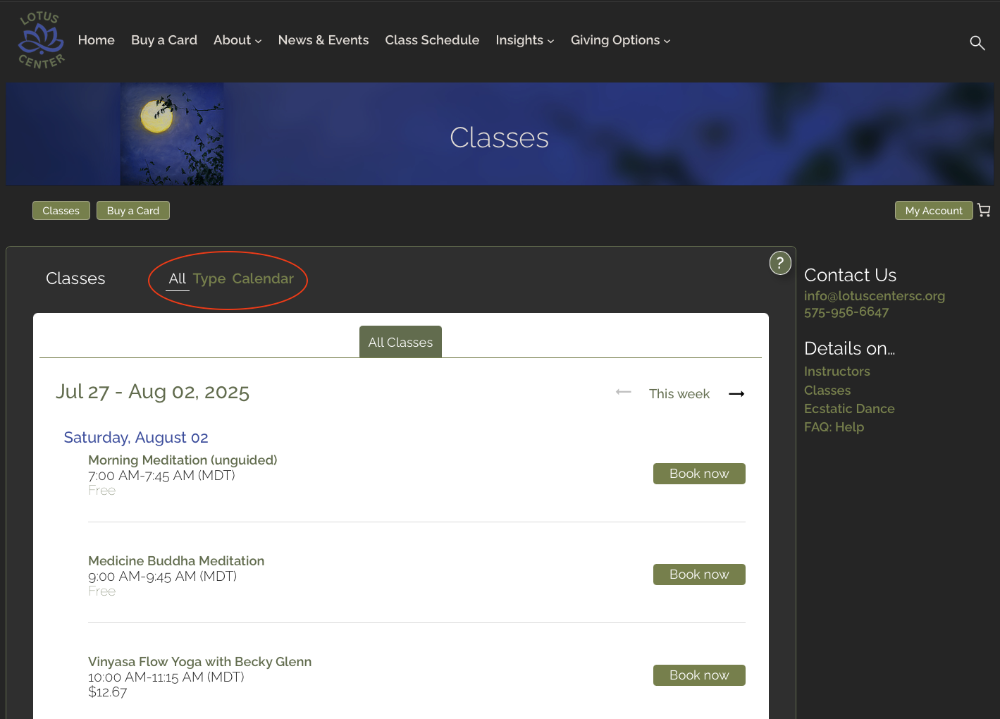
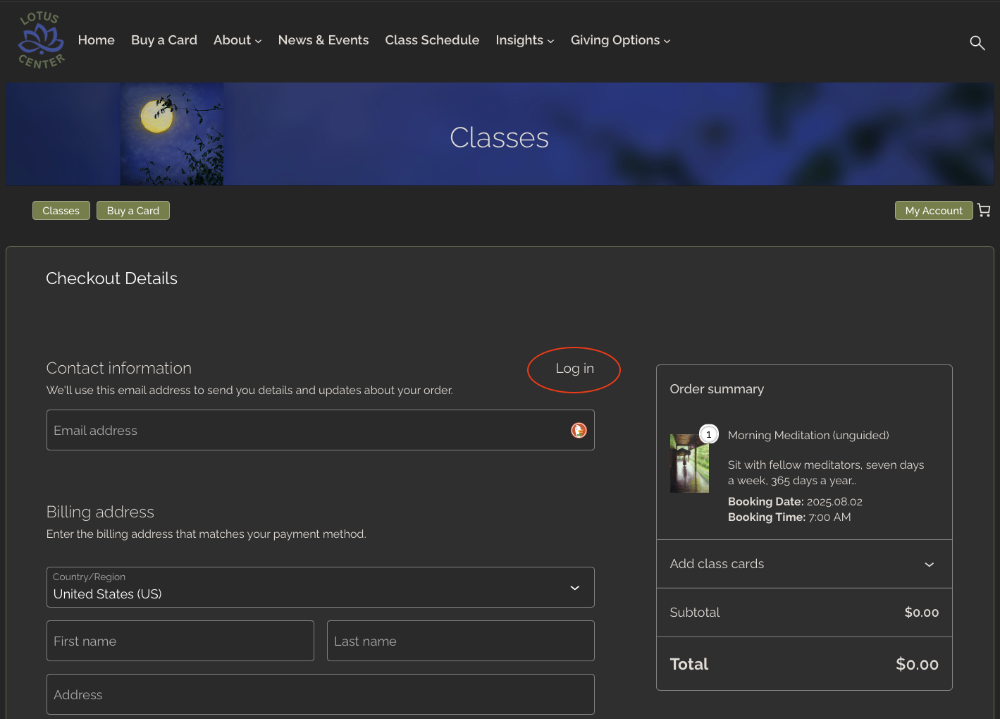
From the Lotus Center website “Classes” page, find the class you want to book by either scrolling through the list of “All” classes or changing the view to “Type” or “Calendar”.
Then, click “Book now”:
If you have an account, make sure to “Log in” so that your contact details and payment information is automatically filled in during checkout:
How do I learn more about a specific class?
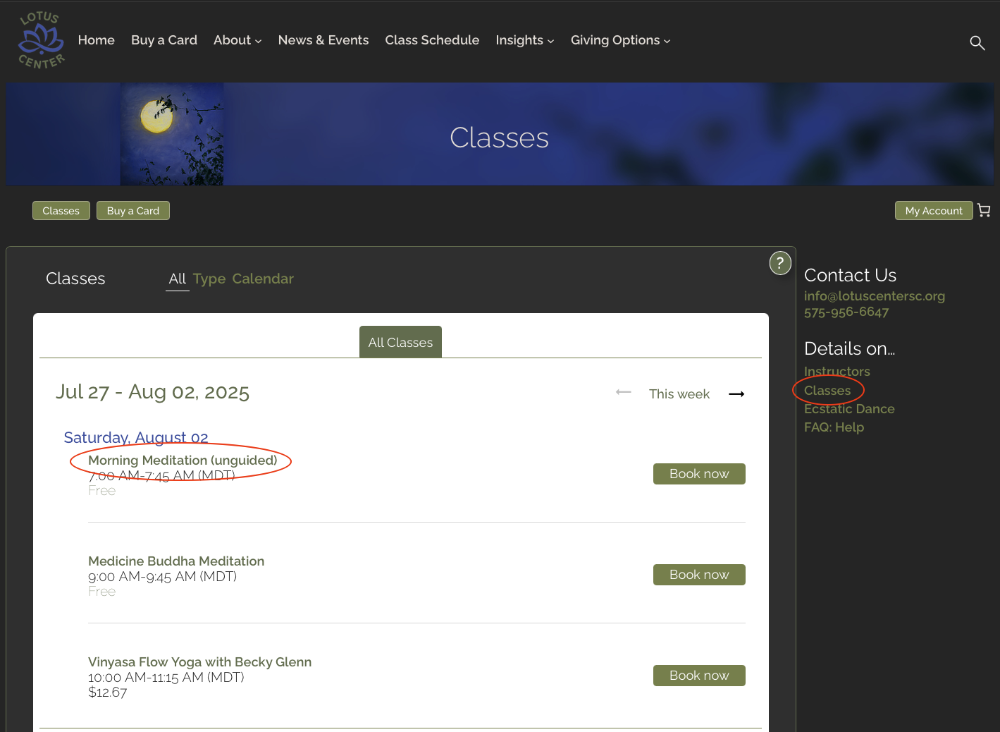
Go to the Classes page, then click on the title of the class.
Or, on the right-hand side of the Classes page, click on “Details on … Classes”.
How do I cancel the class I booked?
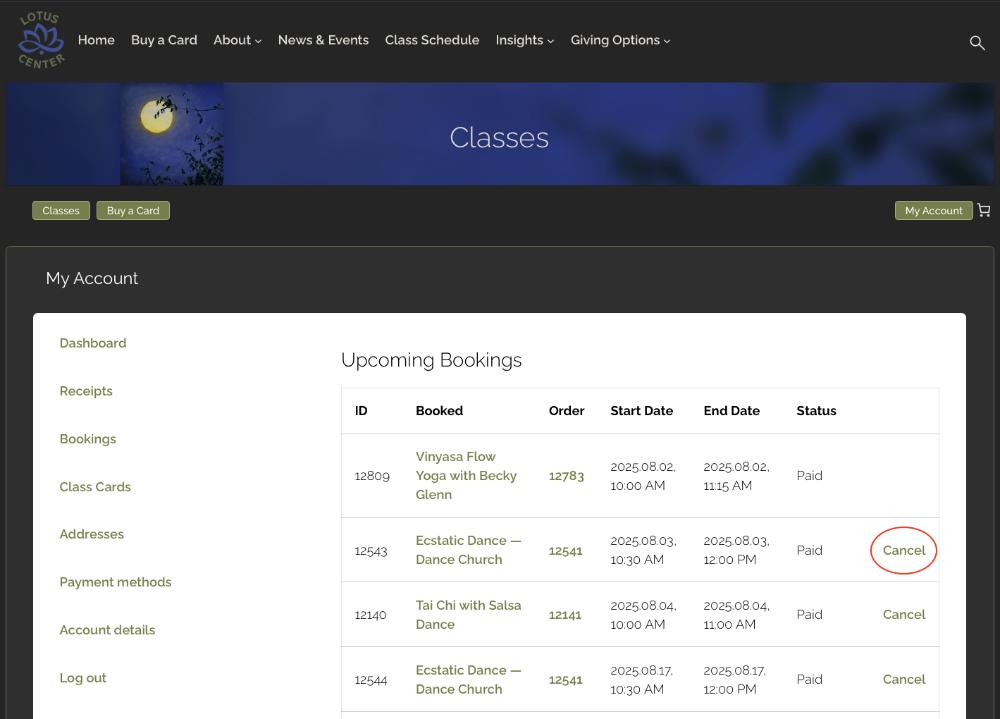
Log into “My Account” online. Click on “Bookings” (on the lefthand side of the page).
Find the class you want to cancel under the “Upcoming Bookings”.
On the far right, click on “Cancel”.
You will see another window asking you to confirm your cancellation.
After cancelling, you will see the updated status of “Cancelled” next to the class you cancelled. You will also receive a cancellation email as confirmation.
Where do I find the Zoom link for a live-stream class?
After you complete the booking of a live-stream class, you can access the Zoom link in three ways:
- In the “Order Details” page that appears online immediately after your booking is completed.
- Log into My Account online and click the Bookings link in the lefthand menu. On the page, look under Upcoming Bookings, click on the order number of the live-stream class to see the “Order Details” page that has the Zoom link.
- In the confirmation email you receive after your booking is completed.
I never received a confirmation email after booking a class.
If you did not receive the email, make sure to check your spam folder. If you still cannot find the confirmation email, log into “My Account” online. Look under “Upcoming Bookings”.
If the class you booked is not shown, please contact us at info@LotusCenterSC.org.
Class Card
How do I buy a class card?
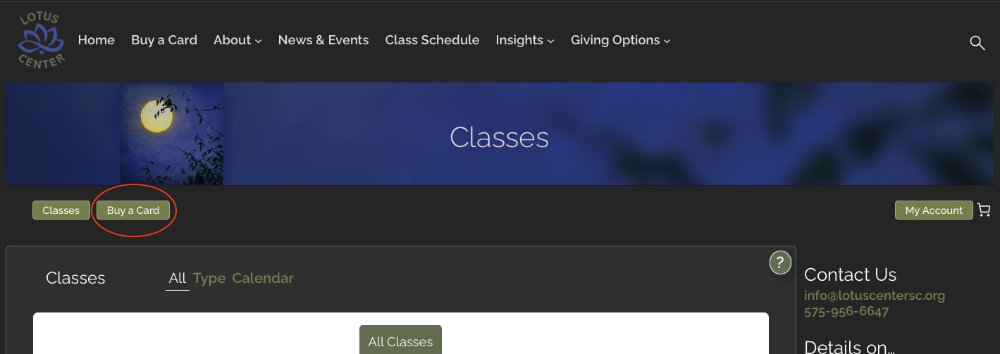
From any Classes webpage, look for the Buy a Card button or menu item:
If you have an account, make sure to “Log in” so that your contact details and payment information is automatically filled in during checkout:
Where can I see my class card balance?
Log into My Account online. Click on Class Cards (on the lefthand side of the page).
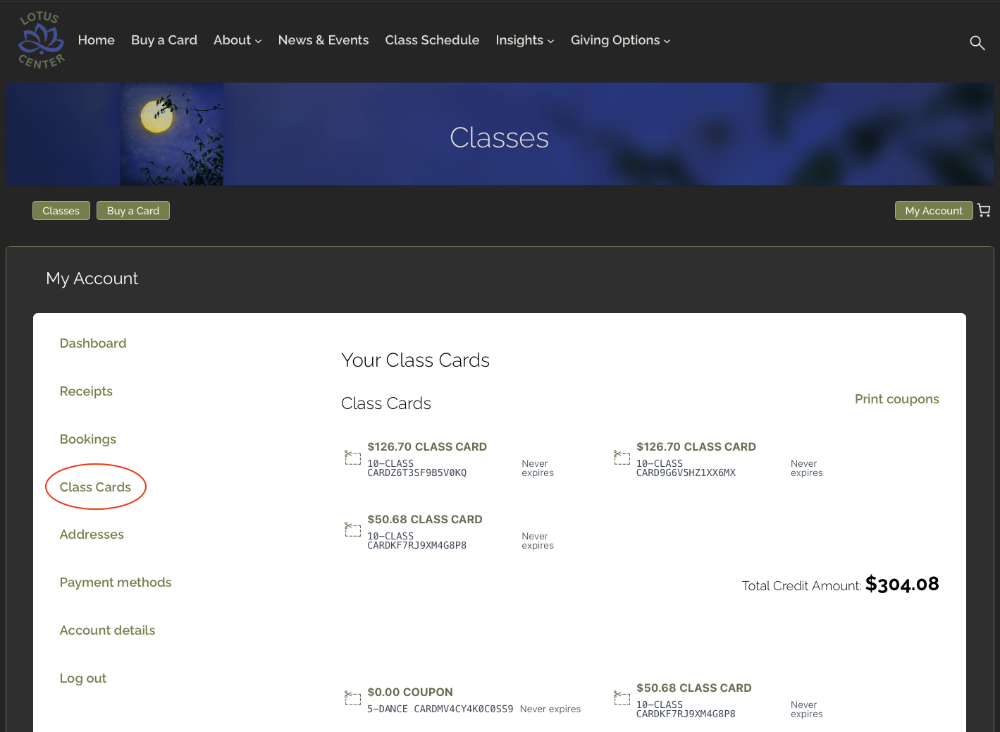
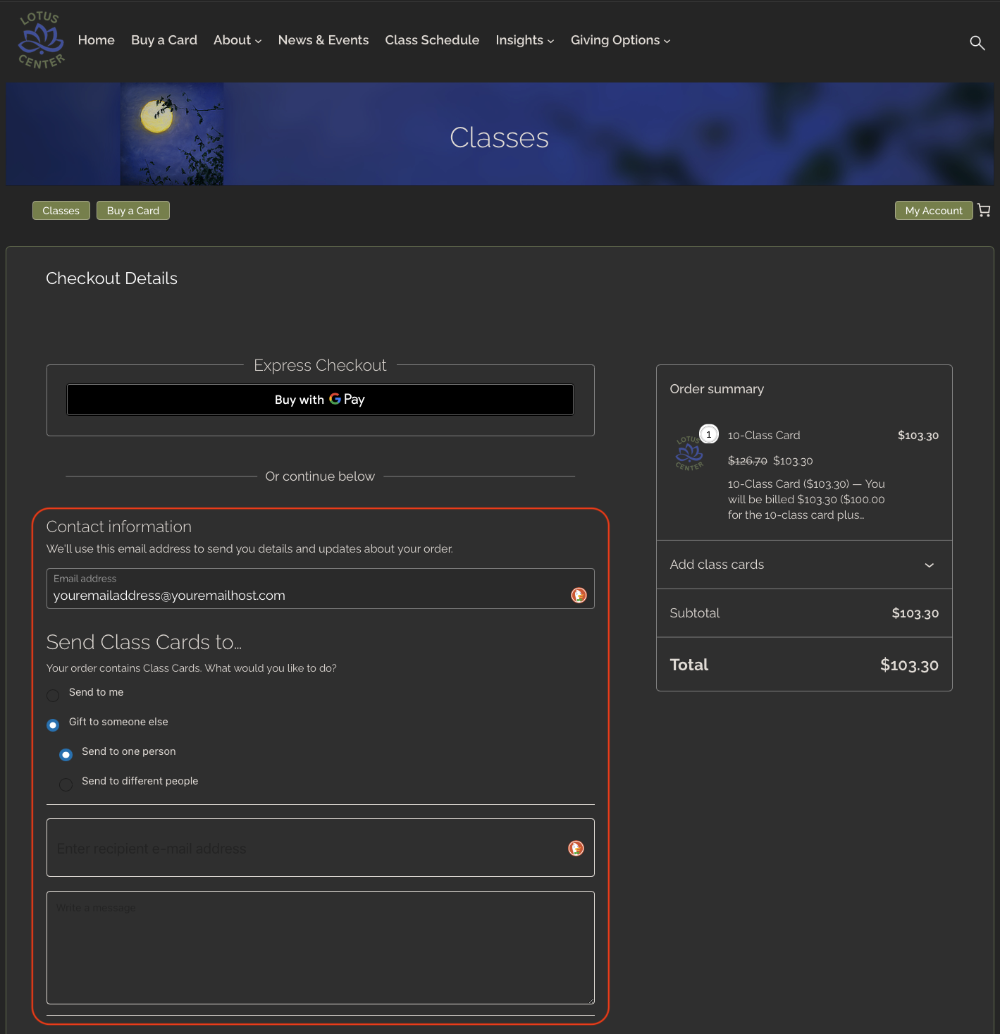
How do I buy a class card as a gift for someone else?
First, add a class card to your cart.
Then, proceed to the Checkout Details page where you will see an option to “Send Class Cards to”.
Select the button to “Gift to someone else”, then select “Send to one person”.
Type in the email address of the recipient.
Then, type in your message that will be sent to the recipient.
Click on “Place Order”.
How do I use a class card that I received as a gift?
If you have a Lotus Center account, the class card you received as a gift will already be shown in My Account for you.
If you do not have a Lotus Center account, you will first need to create a Lotus Center account using the same email where you received notification of your gift. Then, the class card you received as a gift will be shown in My Account.
You can then apply your class card when you book a class (for 10 classes).
Additional Support
Contact us at info@LotusCenterSC.org.